The original Control System was the tradiional Panel style, with switches and buttons. But with the advent of DCC, and my choice of 'Digitrax' as my DCC system this opened up a whole new world to me, especially with my signalling and software knowledge. So I designed a suite of applications over a number of months which would give me a protypical like control system with fully interlocked Points and Signals, Train Describer and Automatic Routing
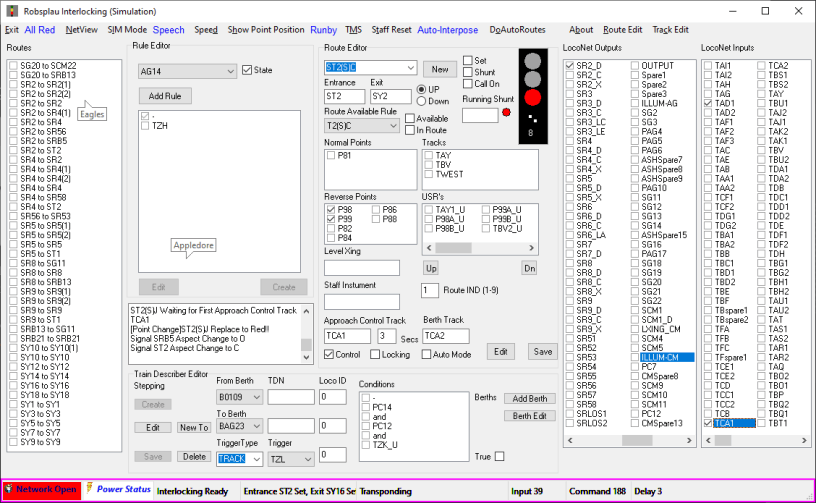
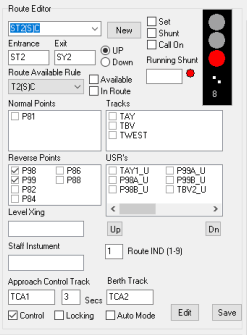

The route editor provides the means of defining each individual route
Each route has a 'Entrance Signal' and 'Exit Signal', and the route is the track between them. Within the track length there can be points and level crossings. The position of the points for the the each being edited is selected as are the track sections.
A Route Available Rule is selected for the list, this defines what makes the route available for setting, the rule is defined in the 'Rule Editor'.
Other parametrs including delay before the signal changes to proceed, any requited route/feather indication.
The route can be manually set or unset from the check box.

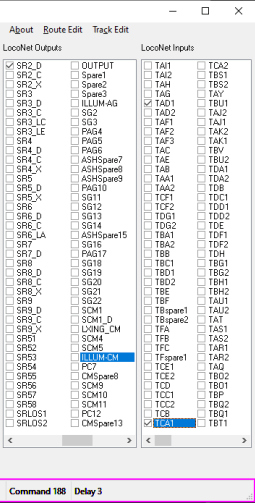
The Input panel shows all the system inputs and there current state, it also provides a means of manually setting each input for testing purposes.
There are currently inexcess 250 inputs
The Output Panel shows all the system outputs and there current state, it also provides a means of setting outputs manually for testing.
There are currentl in excess of 200 outputs


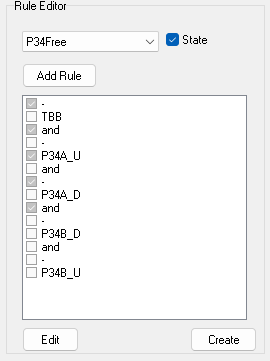
The rule editor provides the means of defining logical rules which can be used by the interlocking.
Typical rules include those which define if its safe for points to be moved, ie. now train on the track though them, or a route set through them, and if a route is available to be set.

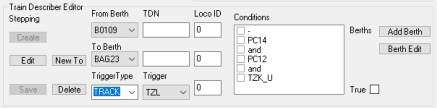
The TD stepping editor provides the means to define the logic for moving a Train Description(TDN) for berth to berth this is done so the controller knows what each train is.
Prototypically a TDN is made up from:
Train Class: A number between 1 and 9, for example Express Passenger = 1, Stopping Passenger = 2, Goods Trains 4 or 5.
Route: A letter defining the route which the train is on, this varied from Region to Region, but on SR 'H' was Ashford to Hastings.
Timetable Iteration: 2 digit number of the iteration of the timetable service where '01' would be the first service of the day and '12' would be the twelth.
So 2H21 would be the 21st stopping passenger service from Ashford to Hastings.
I use a slightly modified version in that 2h21 on my layout is stopping passenger service between Ashford and Hastings with Loco DDC address 21.


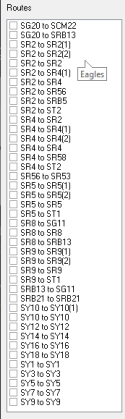
The ATC List provides a list of route sequences that van be executed automaically.
The operator clicks the required route, SR2 to SR2 for eaxample, and providing a Train(TDN) is in the start location Robford Up Platfrom in this case, the routing dialog opens.

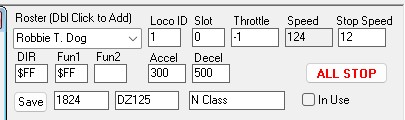
and when startbutton is pressed the system will set the required routes so that the train has 'Green' Signals and drive the train following the signals.